Your week, at a glance
Day, week and month views. Search your events, edit details in place, and archive or restore plans.
 Calmer Calendar
A quieter place for your plans and your people. A native calendar and contacts app for Mac, iPhone and Apple Watch, designed to feel like a little breathing room.
In development · Mac, iPhone & Apple Watch
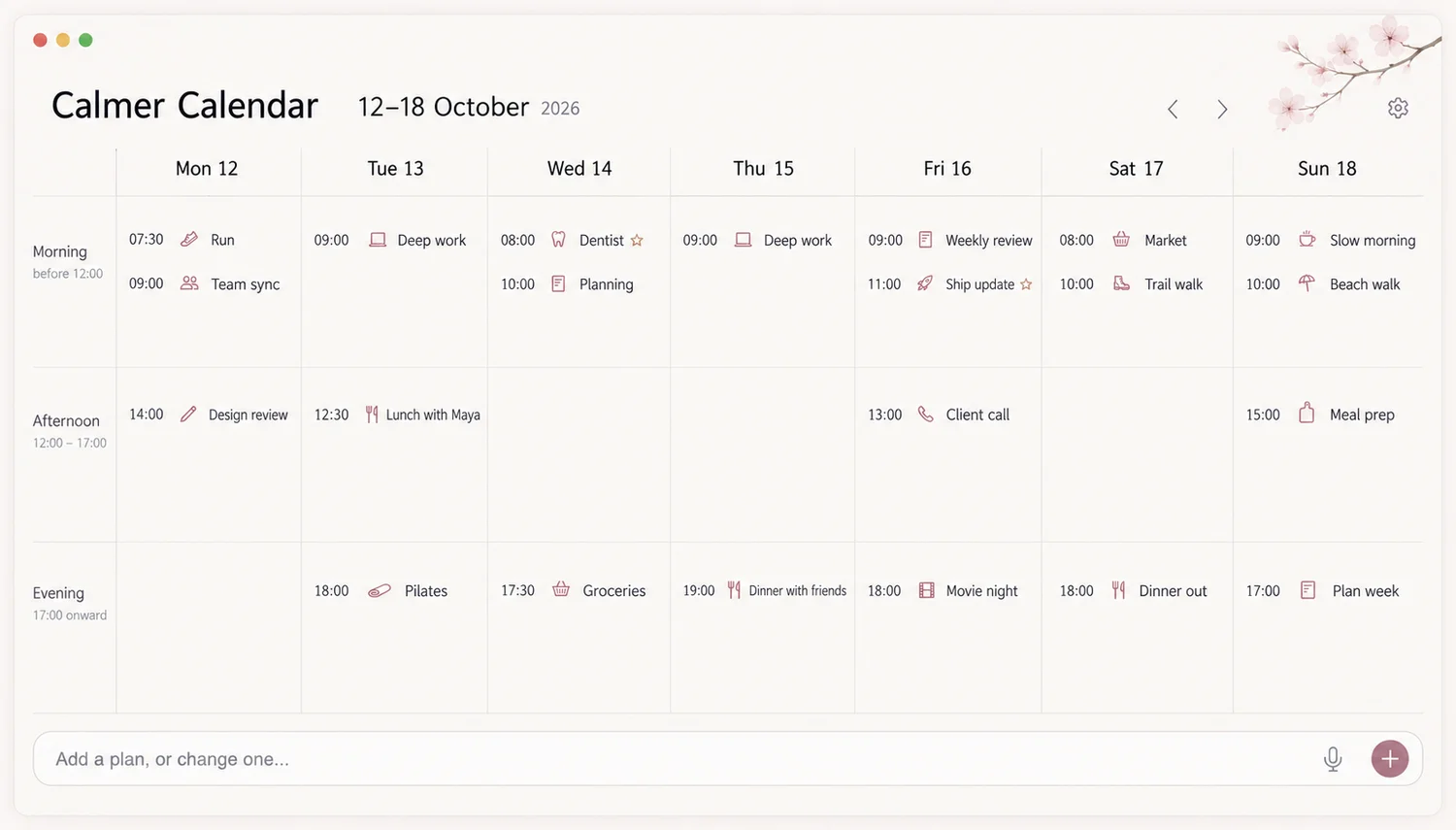
See the week, keep your people close, and make a change without losing your place.
Day, week and month views. Search your events, edit details in place, and archive or restore plans.
Contact cards, favourites, groups and linked events. Call or email straight from a card.
Type a supported English command to add or move an event. Review the changes before saving the whole batch.
Your document is stored on your device. Calendar and Contacts access needs your permission; sending changes to system accounts is an explicit choice.
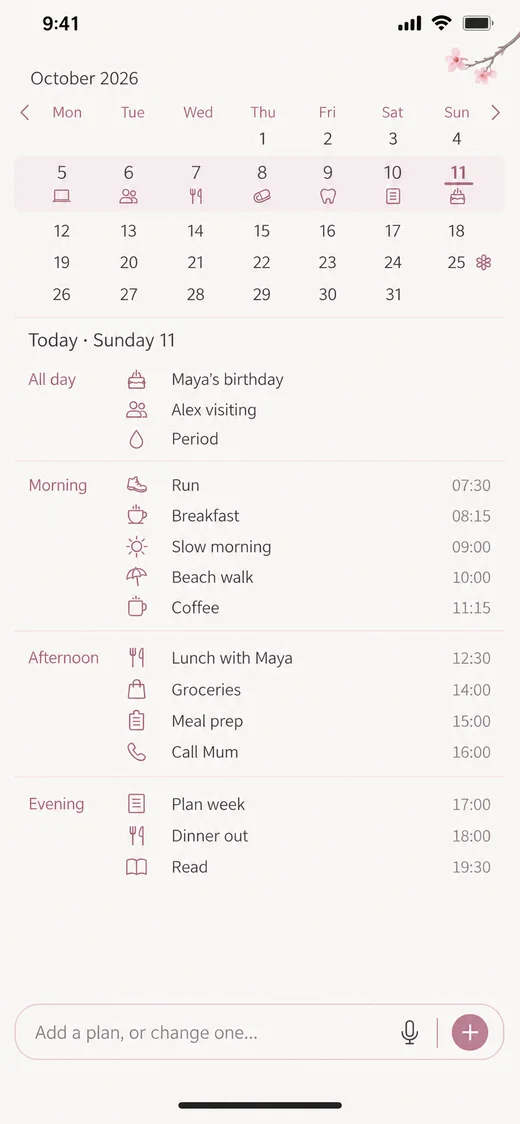
Native apps for Mac and iPhone, with an Apple Watch companion. Shared system accounts handle calendar and contact records; app-only fields and themes stay local.
macOS 14+ · iOS 17+ · watchOS 10+
Five built-in themes: Graphite, Cherry Blossom, Anime Night, Ocean and Paper. Adjust colours, type, spacing and artwork, then import or export your theme as JSON.
Compare Calmer Calendar with Apple Calendar, Fantastical and BusyCal. Different priorities call for different tools: a familiar built-in calendar, meeting tools, detailed scheduling, or a calmer personal space.
Apple's built-in calendar, with shared calendars and iCloud integration.
Read the comparison →02Calendars and tasks, natural-language entry and meeting scheduling tools.
Read the comparison →03Detailed calendar and task management with custom views and filters.
Read the comparison →A public download is not available yet. The app is still being prepared for release; check this page for availability.
Mac and iPhone keep separate local documents. Shared system Calendar and Contacts accounts can sync records. Themes and app-only fields are not automatically synced between Mac and iPhone.
The app does not require a separate Calmer Calendar account. Access to your existing system calendars and contacts requires permission.
This website is available in 22 locales. The current app interface and quick-entry commands are in English. Website translations do not indicate app language support.